# pycodecad
Code-CAD with build123d: write a Python script, see the part, export it for 3D printing.
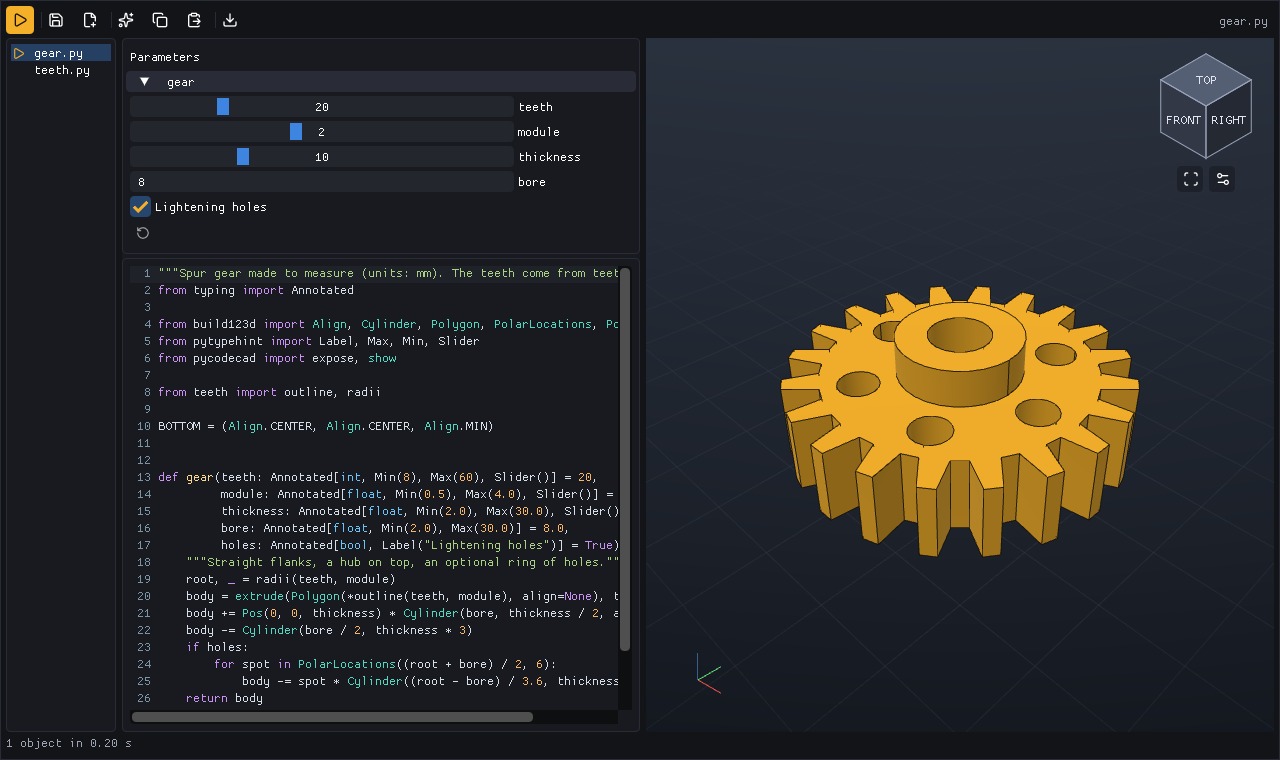
A desktop window shows the files of a part, its code and parameters next to the 3D view, and runs
the script only when you press Run. The same script runs from the command line, so an AI assistant
can check its own work with check and render.
from build123d import Box, Cylinder
from pycodecad import show

plate = Box(40, 30, 8) - Cylinder(5, 8)
show(plate, name="plate", color="#F4B02A")
A part is one plain Python script that builds shapes with build123d and passes them to show().
pycodecad opens a window on it, runs it in a fresh child process, and exports what it shows. The
window, the command line and an AI assistant all look at the same scene, so what an assistant checks
is what you see and what you print.
# What you get
- A window on a part: its files, the code and the part side by side. It runs the part once when it opens, then only when you press Run, and writes only when you press Save. Errors point at the line, and the last good part stays on screen. See The window.
- Parameters:
expose(fn)turns the arguments of a function into sliders, number boxes and checkboxes. See Parameters. - Animations:
frame()saves the scene as a frame; the window plays them. Parts built once and moved withPosare not computed again, so mechanisms play in real time. See Scripts. - A command line:
check,renderandexportrun the same script without a window, andpycodecad examplescopies the bundled examples to a folder and opens them. See Command line. - An AI workflow: an assistant edits the file and checks its own work with
checkandrender, which draws the part from several views in one picture. See Working with an AI assistant. - Exports to STL, 3MF (also a profile for Bambu Studio), STEP, GLB and BREP, from the window or the command line.
- Parts for your own app (experimental): the window's code, parameters and 3D view as Dear
ImGui components, in
pycodecad.embed. See Embedding pycodecad in your app.
pycodecad is small on purpose: thin glue over well-tested libraries, readable in an afternoon. See Design.
# Requirements
A graphics card with OpenGL 3.3. Linux is the native, tested platform; Windows and macOS are compatible targets, with the differences listed in Limitations.
# Credits
- build123d: the modeling language
- Open CASCADE and OCP: the geometry kernel
- Dear ImGui and slimgui: the interface
- ModernGL, GLFW and pyGLFW: rendering and windows
- NumPy: meshes
- pytypehint: the parameters of
expose() - Lucide: icons (ISC)