# Types and validation
The type hints are the contract: every value is validated before the function runs, and the function receives real Python values.
from typing import Annotated

from func_to_web import Max, Min


def percentage(value: Annotated[int, Min(0), Max(100)]) -> int:
    return value
value is always an int from 0 to 100: -1, 1.5, "50" or True never
reach the function. Over HTTP a value that breaks the contract is a 422 with
the reason.
# What a parameter can be
| Type | In the form |
|---|---|
int, float, str, bool |
a number, a text, a switch |
date, time |
a date or time picker |
an Enum or Literal[...] |
a dropdown |
list[T] |
a list of fields, with add and remove |
| a dataclass | its fields, nested; the function gets a real instance |
T | None |
the field with a toggle that decides whether it is sent |
A | B |
a choice between the shapes of each branch |
Color, Email |
a str with a color picker, or checked as an email |
a str with FileHint |
a file picker; see Files |
Validation is recursive: it reaches every item of a list and every field of a nested dataclass.
def average(
    values: Annotated[list[Annotated[int, Min(0), Max(100)]], Min(1), Max(20)],
) -> float:
    return sum(values) / len(values)
Between 1 and 20 values, each from 0 to 100: the outer Min/Max count the
list, the inner ones check each item.
# Constraints and presentation
Everything goes inside Annotated, and everything is imported from
func_to_web.
These constrain the value:
| Atom | What it checks |
|---|---|
Min(value, exclusive=False), Max(...) |
a number, date or time's bound; a text's or list's length. exclusive=True leaves the bound out |
MultipleOf(value) |
an int that is a multiple of value |
Choices(values=(...)) |
one of a fixed set |
Pattern(value, message=None) |
a text matching a regular expression; message is the error shown |
FileHint(extensions=(), min_size=None, max_size=None) |
a file; see Files |
These only change how the field looks:
| Atom | What it does |
|---|---|
Label(value), Description(value), Placeholder(value) |
the field's name, its help text, and a hint inside it |
Step(value) |
the step of a number's arrows |
Slider(show_value=True) |
a slider instead of a number box |
Rows(value) |
a multi-line text box of that height |
IsPassword() |
a hidden text |
OptionalToggle(enabled) |
whether an X | None field starts on |
Extra(key, value) |
a namespaced pair stored on the field, for your own code; FuncToWeb ignores it |
Color and Email are str with the patterns COLOR_PATTERN and
EMAIL_PATTERN, which you can also use yourself. A signature that cannot be
compiled raises SchemaTypeError (a wrong type) or SchemaValueError (a wrong
value, such as a default outside its bounds) when the application is built.
# Defaults
Defaults are checked when the application starts, and rebuilt for every call, so a list or a dataclass used as a default is never shared between two calls:
from dataclasses import dataclass


@dataclass
class Item:
    value: int


def process(items: list[Item] = [Item(1), Item(2)]) -> int:
    return sum(item.value for item in items)
# Every control, on screen
The widgets are pytypehintweb's, and its demo shows every one of them. Install
the demo extra of pytypehintweb and run:
pytypehintweb-demo
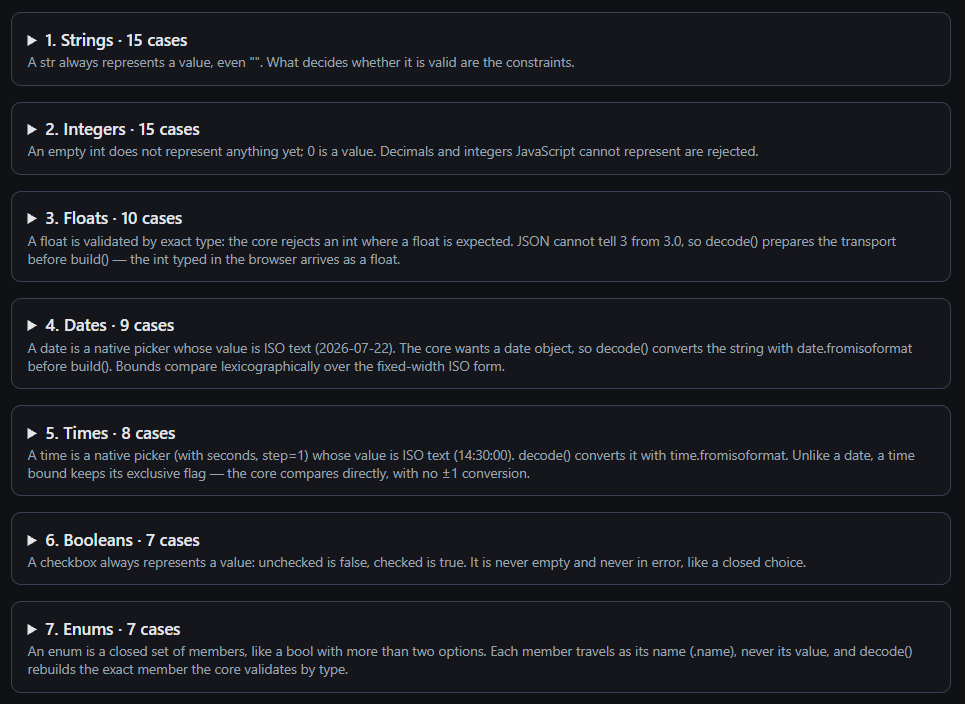
The complete catalog of types and atoms is in pytypehint's documentation.
# Limits
- Two atoms that need different controls cannot be combined:
RowswithChoicesorIsPassword, andSliderorChoiceswithPlaceholder, orChoiceswithSlider. - A file field takes no text atoms (
Pattern,Placeholder,Rows...). - An
intbeyond JavaScript's safe range (±2⁵³−1), a dataclass with no fields and a dataclass that contains itself are rejected when the application is built.