# Operations
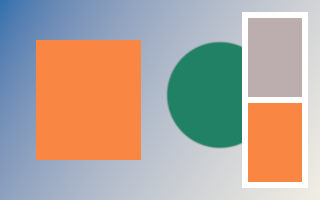
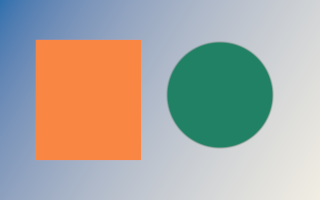
Every GPU operation, with the result the GPU rendered from the code shown. Each snippet runs
inside ctx.run_and_wait([&](Commands& cmd) { ... }) on a 320×200 image which, unless the
operation creates the pixels, starts as a gradient with two marks. The ranges and units of every
option are documented in the public headers, in include/.
# Create
Generate pixels: fills, patterns, shapes and noise.
# Fill a color
Fill the entire image with a linear, premultiplied RGBA color. For 50% opaque red use {0.5f, 0, 0, 0.5f}.
cmd.fill(image, {.color = {0.95f, 0.24f, 0.055f, 1}});

# Checkerboard
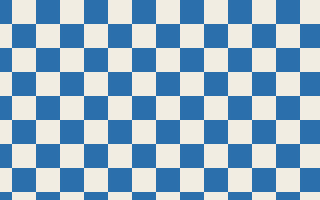
Cell size and offset use pixels. Generate this in a separate image when it is only a transparency preview.
cmd.checkerboard(image, {.size = 24, .first = {0.025f, 0.16f, 0.42f, 1}, .second = {0.88f, 0.85f, 0.77f, 1}, .offset = {12, 0}});
# Grid
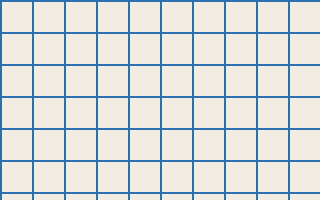
Spacing and line width use pixels. The background is written as well as the grid lines.
cmd.grid(image, {.spacing = 32, .line_width = 2, .color = {0.025f, 0.16f, 0.42f, 1}, .background = {0.88f, 0.85f, 0.77f, 1}});
# Stripes
Angle is in degrees; spacing, width and offset are in pixels.
cmd.stripes(image, {.angle = 35, .spacing = 40, .width = 16, .first = {0.025f, 0.16f, 0.42f, 1}, .second = {0.88f, 0.85f, 0.77f, 1}});

# Dots
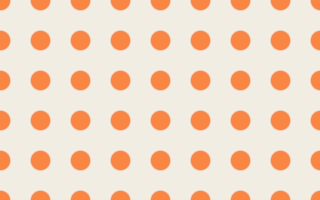
Spacing, radius and edge softness use pixels. Offset shifts the repeating pattern.
cmd.dots(image, {.spacing = 40, .radius = 10, .color = {0.95f, 0.24f, 0.055f, 1}, .background = {0.88f, 0.85f, 0.77f, 1}, .offset = {0, 0}, .softness = 2});
# Circle
Fits a circle inside the image. Foreground, background and edge softness are explicit; a transparent background makes a reusable stamp.
cmd.circle(image, {.color = {0.95f, 0.24f, 0.055f, 1}, .background = {0, 0, 0, 0}, .softness = 2});

# Polygon
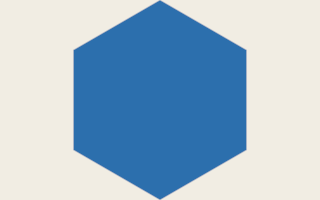
Choose the side count, rotation in degrees and edge softness in pixels.
cmd.polygon(image, {.sides = 6, .color = {0.025f, 0.16f, 0.42f, 1}, .background = {0.88f, 0.85f, 0.77f, 1}, .rotation = 30, .softness = 2});
# Noise
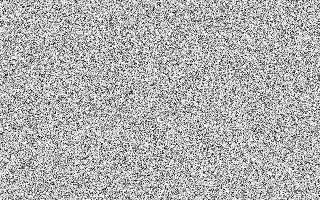
A fixed seed produces reproducible noise. Set monochrome to false for independent color channels.
cmd.noise(image, {.seed = 42, .monochrome = true});
# Perlin noise
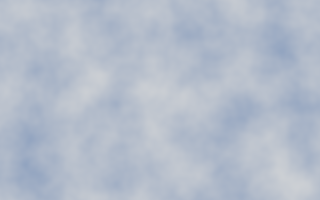
Scale controls feature size; octaves add detail. Persistence controls amplitude and lacunarity controls frequency between octaves.
cmd.perlin(image, {.scale = 64, .seed = 42, .octaves = 4, .persistence = 0.5f, .lacunarity = 2, .first = {0.025f, 0.16f, 0.42f, 1}, .second = {0.88f, 0.85f, 0.77f, 1}});
# Replace with a gradient
Replace writes the ramp including transparent stops. Opacity, mask and region interpolate it with the previous destination. Start and end use image coordinates.
const std::array ramp{GradientStop{0, {0.025f, 0.16f, 0.42f, 1}}, GradientStop{1, {0, 0, 0, 0}}};
cmd.gradient_fill(image, {.start = {30, 100}, .end = {290, 100}, .stops = ramp,
    .interpolation = GradientInterpolation::linear, .dither = false, .replace = true});

# Color
Point operations on linear colour.
# Grayscale
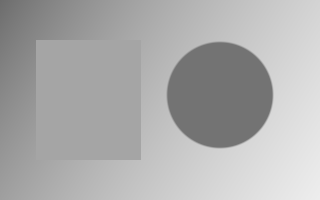
Convert color to grayscale in place. Alpha is preserved; the library works in linear light.
cmd.grayscale(image);
# Brightness
Add an amount to straight linear RGB while preserving alpha. Negative values darken; use exposure for photographic stops.
cmd.brightness(image, {.amount = 0.12f});
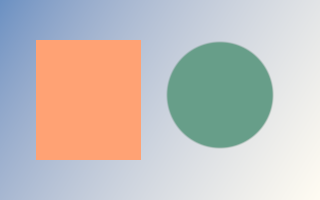
# Exposure
Multiply linear RGB by 2 raised to the number of stops. +1 doubles the light; −1 halves it.
cmd.exposure(image, {.stops = 0.75f});
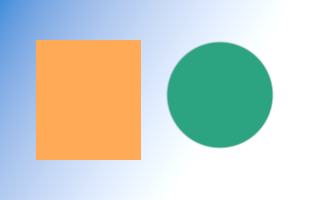
# Contrast
Change contrast around the linear RGB pivot. A factor of 1 leaves the image unchanged; 0 collapses contrast.
cmd.contrast(image, {.factor = 1.5f});
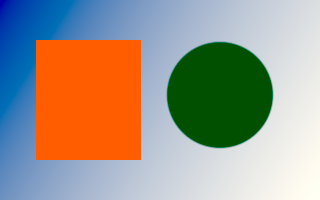
# Saturation
A factor of 0 removes saturation, 1 preserves it, and values above 1 increase it.
cmd.saturation(image, {.factor = 0.35f});
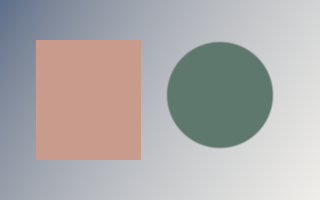
# Gamma
Apply the library’s gamma adjustment to straight RGB. Gamma must be positive; alpha is unchanged.
cmd.gamma(image, {.value = 1.8f});
# Opacity
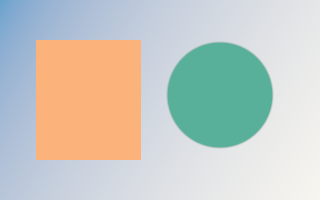
Scale premultiplied RGB and alpha together so translucent colors remain valid.
cmd.opacity(image, {.factor = 0.5f});
# Hue
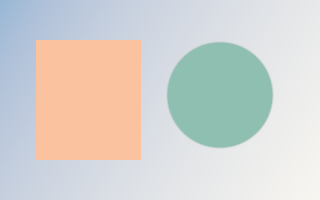
Rotate hue by an angle in degrees while preserving alpha.
cmd.hue(image, {.degrees = 100});
# Vibrance
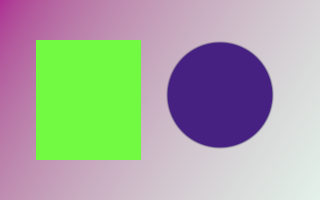
Adjust color intensity with saturation-dependent weighting. Zero leaves the image unchanged.
cmd.vibrance(image, {.amount = 0.65f});
# Sepia
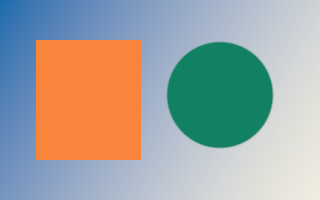
Blend the original colors with a sepia treatment. Intensity controls the effect.
cmd.sepia(image, {.intensity = 0.85f});
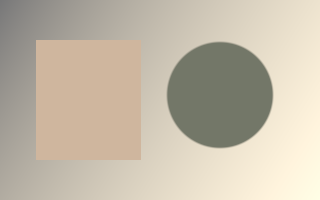
# Invert color
Invert straight RGB and preserve alpha. Mask inversion is shown separately.
cmd.invert(image);
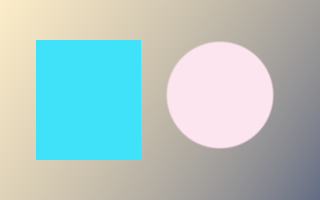
# Threshold
Convert luminance into a two-tone image using a linear threshold; keep alpha.
cmd.threshold(image, {.value = 0.25f});

# Solarize
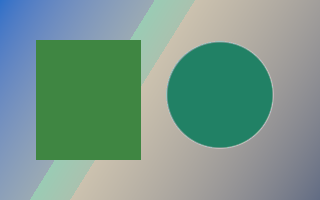
Invert channels above the selected threshold, keeping the remaining values and alpha.
cmd.solarize(image, {.value = 0.4f});
# Adjustments
Photoshop-style adjustments: levels, curves, LUTs and colour grading.
# Levels
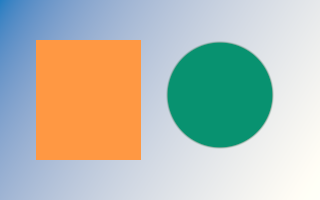
Input/output endpoints use 0..1 instead of 0..255. Gamma is the familiar midtone value. Individual channels apply before the composite in signed extended sRGB. SDR input clips at the black/white endpoints; signed-power tails extend only existing negative/HDR input, continuously from 0/1.
cmd.levels(image, {.composite = {.input_black = 0.12f, .input_white = 0.92f, .gamma = 1.3f}});
# Curves
Strictly increasing input points define a shape-preserving cubic curve, sampled into a 4096-entry LUT. Points use 0..1 display coordinates; the curve is flat outside the control endpoints within 0..1, with tangent extensions only beyond 0..1. Empty channels are identity.
const std::array points{Point{0, 0}, Point{0.25f, 0.12f},
                        Point{0.75f, 0.88f}, Point{1, 1}};
cmd.curves(image, {.composite = points});
# One-dimensional LUT
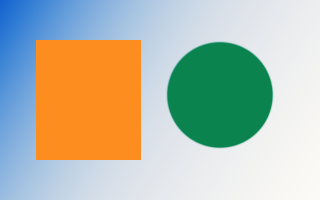
Tables sample 0..1 uniformly, interpolate linearly and extrapolate using the endpoint segments; signed/HDR table values are supported. Individual channels apply before the composite; choose encoded sRGB or linear input/output.
const std::array red{0.08f, 0.35f, 0.65f, 0.9f, 1.0f};
const std::array blue{0.0f, 0.18f, 0.38f, 0.65f, 0.9f};
cmd.lut(image, {.red = red, .blue = blue});
# Three-dimensional LUT
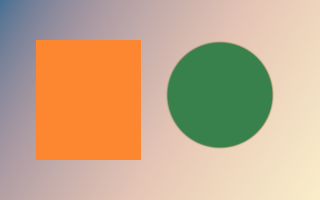
RGB triplets use red-fastest cube order. Trilinear interpolation supports sizes 2..65, signed/HDR outputs and per-channel DOMAIN_MIN/MAX bounds. The consumer parses .cube files; extended sRGB and linear grading are supported.
const std::array<float, 24> cube{
    0.03f, 0.01f, 0.08f,  1, 0.05f, 0,
    0.06f, 0.95f, 0.08f,  1, 0.9f, 0.05f,
    0, 0.05f, 0.85f,      0.95f, 0, 0.9f,
    0.05f, 0.9f, 0.9f,    1, 0.96f, 0.85f};
cmd.lut3d(image, {.size = 2, .values = cube,
                  .domain_min = {-0.1f, 0, 0}, .domain_max = {1.1f, 1, 1}});
# Color balance
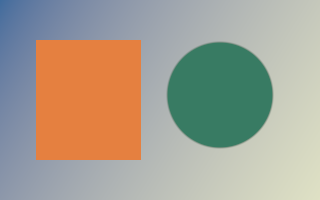
Cyan/red, magenta/green and yellow/blue controls use -1..1 for -100..100. Localized lightness bands separate shadows, midtones and highlights; correction is bounded to 0.7 encoded units and preserve luminosity restores encoded Rec.709 luma and compresses chroma into the input gamut, including its existing HDR range.
cmd.color_balance(image, {.shadows = {-0.2f, 0.02f, 0.25f}, .highlights = {0.2f, 0.05f, -0.1f}});
# Hue and saturation
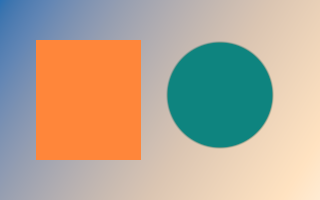
Hue uses -180..180 degrees; saturation and lightness use -1..1 for -100..100. Saturation scales existing chroma continuously. Colorize accepts hue 0..360 and sets absolute HSL saturation in 0..1; active edits retain signed/HDR values using an expanded HSL interval.
cmd.hue_saturation(image, {.hue = -25, .saturation = 0.3f, .lightness = 0.05f});
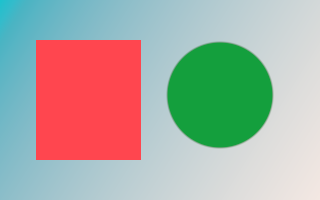
# RGBA color matrix
A row-major 4x5 matrix transforms straight RGBA and adds offsets. Both linear and extended sRGB domains support HDR and negative RGB; alpha is clamped and colors are re-premultiplied.
cmd.color_matrix(image, {.matrix = {
    0.8f, 0.15f, 0.05f, 0, 0.02f,
    0.1f, 0.8f, 0.1f, 0, 0,
    0.15f, 0.2f, 0.65f, 0, 0,
    0, 0, 0, 1, 0}});
# Channel mixer
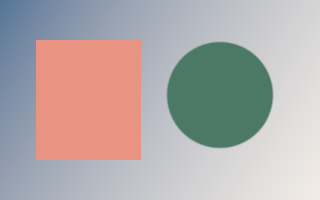
Each row contains RGB coefficients and a constant. -2..2 maps to -200%..200%; monochrome uses the red output row for all channels. Mixing occurs in encoded sRGB.
cmd.channel_mixer(image, {.red = {0.4f, 0.4f, 0.2f, 0}, .monochrome = true});
# Black and white
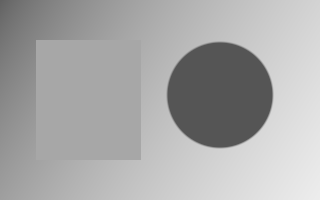
Six hue weights in red/yellow/green/cyan/blue/magenta order use -2..3 for -200%..300%. Optional tint takes its hue and saturation from an opaque linear color.
cmd.black_white(image, {.weights = {0.6f, 0.8f, 0.4f, 0.6f, 0.2f, 0.7f}, .tint = true});
# Photo filter
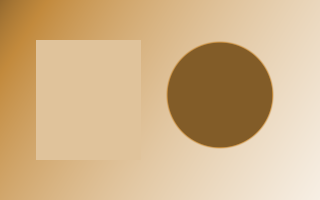
Density 0..1 maps to 0%..100%. The opaque linear filter color multiplies encoded RGB; preserve luminosity restores luma and compresses chroma into the input gamut, expanded to retain existing signed/HDR values.
cmd.photo_filter(image, {.color = {1, 0.35f, 0.06f, 1}, .density = 0.65f});
# Posterize
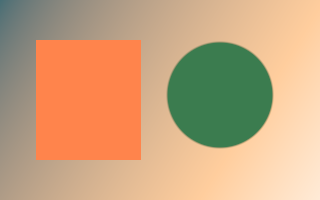
Clamp straight encoded RGB to 0..1 and quantize using 2..256 equal-width input bands and equally spaced output levels, then decode to linear and preserve alpha.
cmd.posterize(image, {.levels = 4});
# Gradient map
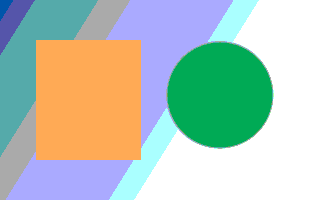
Encoded RGB is clamped to 0..1; Rec.709 luma indexes ordered stops, with duplicates creating hard edges. Linear input stop colors are interpolated in encoded sRGB, so black-to-white maps preserve gray ramps. Stop alpha multiplies source alpha; use opaque stops for Photoshop-style maps.
const std::array stops{GradientStop{0, {0.015f, 0.01f, 0.06f, 1}},
                       GradientStop{0.5f, {0.4f, 0.08f, 0.12f, 1}},
                       GradientStop{0.5f, {0.7f, 0.3f, 0.1f, 1}},
                       GradientStop{1, {1, 0.85f, 0.5f, 1}}};
cmd.gradient_map(image, {.stops = stops, .dither = true});
# Filters
Neighbourhood filters: blurs, sharpening, noise reduction and morphology.
# Gaussian blur
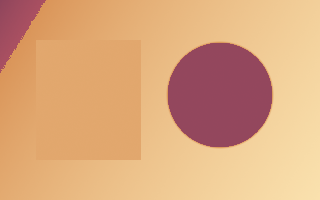
Radius is in pixels and sigma controls spread. gaussian_blur_requirements gives the workspace plan; the result replaces the input.
auto options = GaussianBlurOptions{.radius = 12, .sigma = 4};
options.workspace = ctx.create_workspace(gaussian_blur_requirements(image.size(), options).workspace);

cmd.gaussian_blur(image, options);
# Box blur
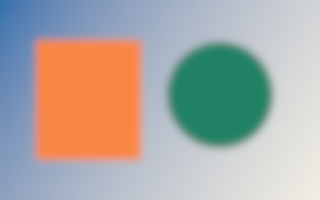
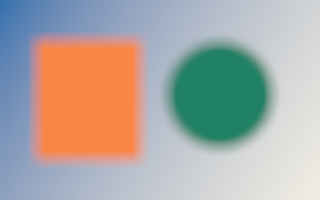
Square box average with clamp edges; radius r uses a (2r+1)-pixel-wide square. Two separable passes reuse an explicitly reserved workspace.
auto options = BoxBlurOptions{.radius = 8};
options.workspace = ctx.create_workspace(box_blur_requirements(image.size(), options).workspace);
auto result = ctx.create_image({320, 200});

cmd.box_blur(image, result, options);
# Motion blur
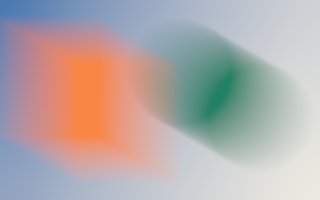
Centered line exposure: clockwise angle in degrees and distance in pixels. Dense bilinear sampling, accelerated by dyadic line passes above 32 pixels.
auto options = MotionBlurOptions{.angle = 30, .distance = 96};
options.workspace = ctx.create_workspace(motion_blur_requirements(image.size(), options).workspace);
auto result = ctx.create_image({320, 200});

cmd.motion_blur(image, result, options);
# Radial blur
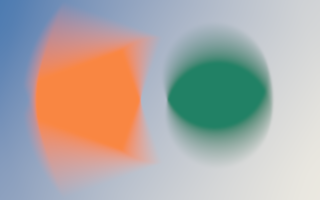
Spin sweeps an arc measured in degrees. Zoom sweeps inward by amount percent. Center uses continuous image coordinates. Long exposures use bounded rotation or scale passes.
auto options = RadialBlurOptions{.center = {160, 100}, .amount = 40, .mode = RadialBlurMode::spin};
options.workspace = ctx.create_workspace(radial_blur_requirements(image.size(), options).workspace);
auto result = ctx.create_image({320, 200});

cmd.radial_blur(image, result, options);
# Unsharp mask
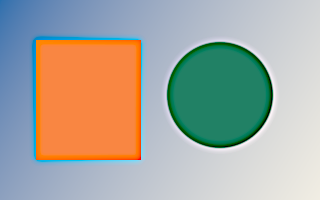
Photoshop-style Amount percent, Gaussian radius in pixels and Threshold levels. Threshold compares sRGB-encoded channel levels; sharpening uses linear RGB; alpha is preserved. No output clipping.
auto options = UnsharpMaskOptions{.amount = 150, .radius = 3, .threshold = 2};
options.workspace = ctx.create_workspace(unsharp_mask_requirements(image.size(), options).workspace);
auto result = ctx.create_image({320, 200});

cmd.unsharp_mask(image, result, options);
# High pass
Subtract the Gaussian low frequencies from straight RGB and add neutral gray 0.5 in linear light. Radius is Gaussian sigma; alpha is preserved.
auto options = HighPassOptions{.radius = 6};
options.workspace = ctx.create_workspace(high_pass_requirements(image.size(), options).workspace);
auto result = ctx.create_image({320, 200});

cmd.high_pass(image, result, options);
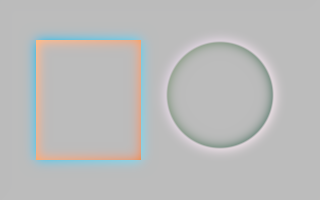
# Median
Exact component-wise median including alpha, radius up to 500. Small radii use sorting networks and large windows use tiled rank queries. median_requirements returns a reusable workspace plan. Reserve it explicitly before recording; small radii need no workspace.
auto requirements = median_requirements(image.size(), {.radius = 5});
auto workspace = ctx.create_workspace(requirements.workspace);
auto result = ctx.create_image({320, 200});

cmd.median(image, result, {.radius = 5, .workspace = workspace});
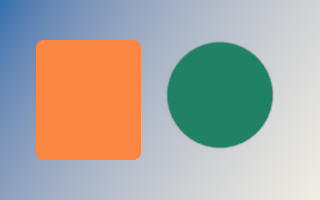
# Minimum
Expand dark regions using premultiplied RGBA minima, including alpha. Both shapes support radius 500. Square uses exact line extrema; large round supports approximate a disk with eight line directions.
auto options = MorphologyOptions{.radius = 3, .shape = MorphologyShape::round};
options.workspace = ctx.create_workspace(minimum_requirements(image.size(), options).workspace);
auto result = ctx.create_image({320, 200});

cmd.minimum(image, result, options);
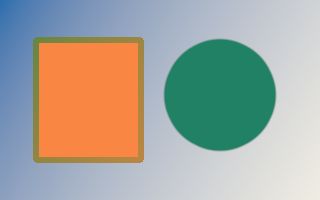
# Maximum
Expand light regions using premultiplied RGBA maxima, including alpha. Reserve the plan returned by maximum_requirements before recording.
auto options = MorphologyOptions{.radius = 3, .shape = MorphologyShape::square};
options.workspace = ctx.create_workspace(maximum_requirements(image.size(), options).workspace);
auto result = ctx.create_image({320, 200});

cmd.maximum(image, result, options);
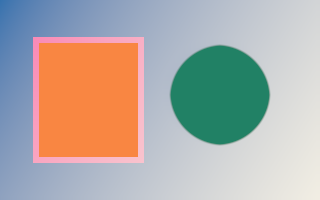
# Pixelate
Mosaic averages premultiplied pixels in cells anchored at the image origin. Partial edge cells use only existing pixels; each cell is averaged once.
cmd.pixelate(image, result, {.cell_size = 16});
# Surface blur
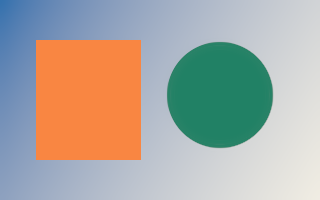
Bilateral smoothing with spatial sigma radius/2 and range sigma threshold/255 in straight linear RGB. Center alpha is preserved and transparent neighbors do not contribute. Threshold zero is identity. Large radii use multiscale separable bilateral passes.
auto options = SurfaceBlurOptions{.radius = 10, .threshold = 30};
options.workspace = ctx.create_workspace(surface_blur_requirements(image.size(), options).workspace);
auto result = ctx.create_image({320, 200});

cmd.surface_blur(image, result, options);
# Add noise
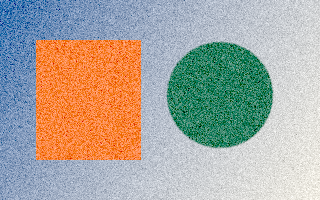
Add reproducible uniform or Gaussian noise to straight linear RGB, preserving alpha. HDR and negative values are preserved by default; clip=true explicitly clamps RGB to [0,1]. Amount is percent: uniform half-width or Gaussian standard deviation. Monochromatic shares one sample across channels.
cmd.add_noise(image, {.amount = 8, .distribution = NoiseDistribution::gaussian, .monochrome = true, .seed = 42});
# Sharpen
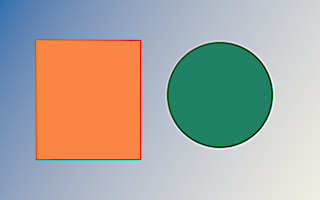
Neighborhood filters read a distinct source and overwrite the destination. Strength controls edge emphasis.
cmd.sharpen(image, result, {.strength = 1.5f});
# Effects
Stylised effects built on filters.
# Sobel edges
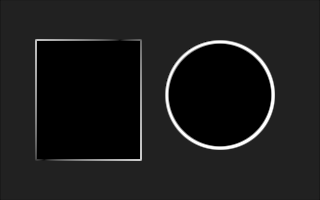
Detect local edges in a separate destination image.
cmd.sobel(image, result);
# Emboss
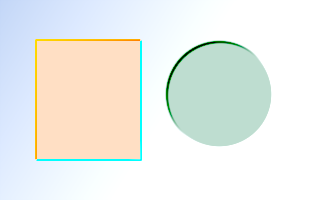
Turn local changes into an embossed relief. Use a separate destination and an explicit strength.
cmd.emboss(image, result, {.strength = 1});
# Rounded corners
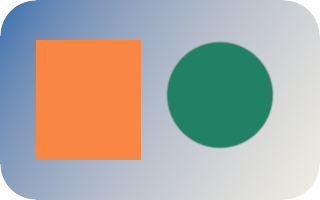
Radius is in pixels. The operation attenuates premultiplied RGB and alpha at the corners.
cmd.rounded_corners(image, {.radius = 36});
# Vignette
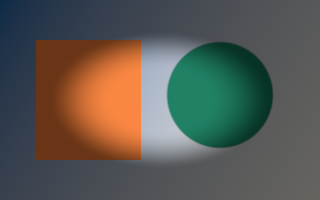
Darken the outer part of an image using normalized radius and softness. The vignette color is premultiplied.
cmd.vignette(image, {.radius = 0.5f, .softness = 0.4f, .color = {0, 0, 0, 0.85f}});
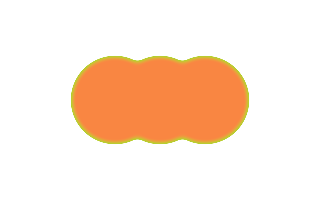
# Chroma key
Remove a key color with threshold, transition smoothness and spill suppression. This edits alpha and color, not a separate selection.
cmd.fill(image, {.color = {0, 1, 0, 1}});
const std::array points{StrokeSample{{115, 100}}, StrokeSample{{160, 100}}, StrokeSample{{205, 100}}};
cmd.brush_stroke(image, {.samples = points, .brush = {.diameter = 96, .hardness = 0.8f, .spacing = 0}, .color = {0.95f, 0.24f, 0.055f, 1}});
cmd.chroma_key(image, {.key = {0, 1, 0, 1}, .threshold = 0.4f, .smoothness = 0.1f, .spill_suppression = 0.5f});
# Drop shadow
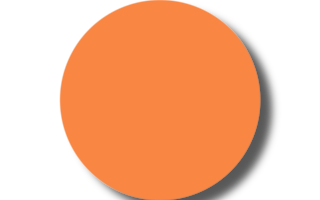
drop_shadow_requirements returns output dimensions and a workspace plan with blur padding. expand=false clips the result to the source size.
DropShadowOptions options{
    .offset = {12, 10}, .radius = 10, .sigma = 4,
    .color = {0, 0, 0, 0.65f}, .expand = false,
};
const auto required = drop_shadow_requirements(image.size(), options);
options.workspace = ctx.create_workspace(required.workspace);
auto result = ctx.create_image(required.destination);

cmd.circle(image, {.color = {0.95f, 0.24f, 0.055f, 1}, .background = {0, 0, 0, 0}, .softness = 2});
cmd.drop_shadow(image, result, options);
# Transform
Resampling and geometry for images and masks.
# Copy pixels
Copy between equally sized images. An optional coverage mask or destination region limits what is overwritten.
cmd.copy(image, result);
# Resize
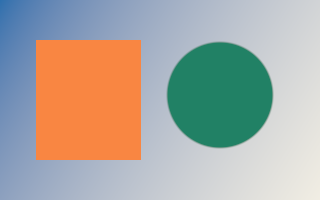
Destination dimensions set the output size. Filters: nearest, bilinear, bicubic, lanczos and area; reductions average instead of aliasing. Source and destination must be distinct. Very large reductions run one pass per axis through a workspace sized by resize_requirements.
cmd.resize(image, result, {.filter = ResizeFilter::bilinear});
# Crop
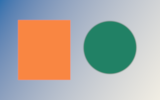
The origin is in source pixels. Destination dimensions define the crop size; no resampling is performed.
cmd.crop(image, result, {.origin = {80, 40}});
# Flip
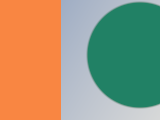
Choose horizontal, vertical or both. Read from one image and write to another.
cmd.flip(image, result, {.direction = FlipDirection::horizontal});
# Rotate
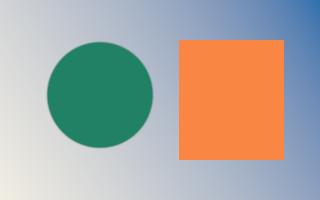
Angle is in degrees. Rotation uses the image centers; uncovered pixels are transparent. Choose the destination size explicitly.
cmd.rotate(image, result, {.degrees = 25, .filter = ResizeFilter::bicubic});
# Zoom
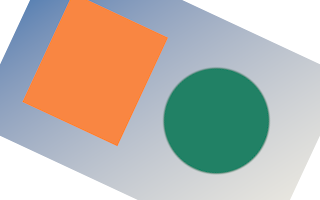
Scale around a center expressed in source pixels. Unlike resize, the destination can keep the original dimensions.
cmd.zoom(image, result, {.factor = 1.6f, .center = {160, 100}, .filter = ResizeFilter::lanczos});
# Pixelate
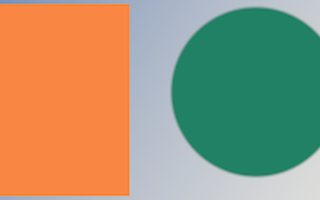
A recipe made from two resizes: reduce detail, then enlarge with nearest-neighbor sampling. Use pixelate for exact cell averages.
cmd.resize(image, small, {.filter = ResizeFilter::bilinear});
cmd.resize(small, image, {.filter = ResizeFilter::nearest});
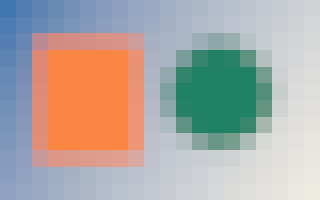
# Compose projective transforms
Homography matrices map continuous source points to destination points. Compose a perspective with an affine placement, then apply the same matrix to images and layer masks.
const Homography perspective{{1, 0, 0, 0, 1, 0, 0.002, 0, 1}};
const ProjectiveTransformOptions options{.matrix = Homography::from(Affine::translate(40, 20)) * perspective};
cmd.transform(image, result, options);
cmd.select_ellipse(selection, {.origin = {20, 10}, .width = 280, .height = 180});
cmd.transform(selection, transformed, options);
cmd.apply_mask(transformed, result);
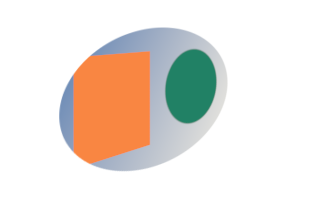
# Free transform
Photoshop Free Transform. The Affine maps source to destination pixels; positive degrees turn clockwise and the right operand applies first. transform_bounds gives the pixel rectangle the result covers: allocate it and translate by its origin. Reductions average each pixel’s footprint instead of aliasing; outside the source is transparent unless another EdgeMode (clamp, repeat, mirror) is chosen. Large reductions sample an area table, reduced source or pyramid in a workspace sized by transform_requirements.
const Affine matrix = Affine::rotate(-20) * Affine::scale(0.75f, 0.5f);
const Rect bounds = transform_bounds({0, 0, 320, 200}, matrix);
auto result = ctx.create_image(ImageSize{bounds.width, bounds.height});

cmd.transform(image, result, {.matrix = Affine::translate(-bounds.x, -bounds.y) * matrix, .filter = ResizeFilter::bicubic});
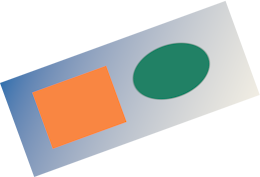
# Perspective and distort
Photoshop Distort/Perspective: the destination positions of the source corners, in the order top-left, top-right, bottom-right, bottom-left, forming a convex quadrilateral. perspective_matrix returns the same homography for overlays and hit testing. The far side is filtered over its footprint, not point sampled. Steep foreshortening samples a box pyramid in a workspace sized by perspective_requirements.
const std::array corners{Point{95, 25}, Point{245, 10}, Point{315, 190}, Point{5, 175}};
cmd.perspective(image, result, {.corners = corners, .filter = ResizeFilter::bilinear});
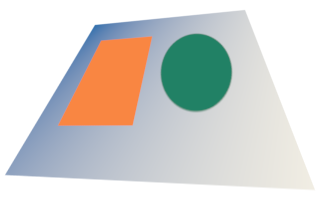
# Offset and wrap around
Photoshop Filter › Other › Offset moves by whole pixels. EdgeMode::repeat wraps around, useful to check seamless tiles; clamp repeats edge pixels, transparent clears and mirror reflects.
cmd.offset(image, result, {.offset = {160, 100}, .edge = EdgeMode::repeat});
# Reduce without moiré
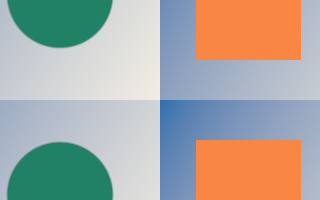
When the destination is smaller, bilinear, bicubic and lanczos widen with the reduction factor and area averages the exact pixel coverage, so fine detail becomes its average instead of moiré. nearest always point-samples.
cmd.stripes(image, {.angle = 20, .spacing = 3, .width = 1.5f, .first = {0.025f, 0.16f, 0.42f, 1}, .second = {0.88f, 0.85f, 0.77f, 1}});
cmd.resize(image, result, {.filter = ResizeFilter::area});

# Move a layer mask with its layer
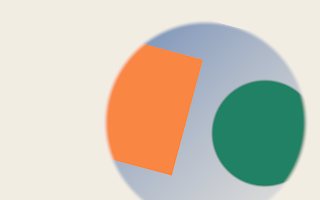
Masks take the same geometry as images. Apply identical options to a layer and its mask so they stay aligned. Coverage is filtered like alpha and rounded to bytes.
cmd.circle(matte, {.color = {1, 1, 1, 1}, .background = {0, 0, 0, 0}, .softness = 6});
cmd.extract_mask(matte, layer_mask, {.mode = MaskMode::alpha});
const TransformOptions move{.matrix = Affine::rotate(15, {160, 100}) * Affine::translate(50, 10),
                            .filter = ResizeFilter::bicubic};
cmd.transform(image, layer, move);
cmd.transform(layer_mask, moved_mask, move);
cmd.fill(result, {.color = {0.88f, 0.85f, 0.77f, 1}});
cmd.copy(layer, result, {.mask = &moved_mask});
# Resize, crop, flip, rotate and offset masks
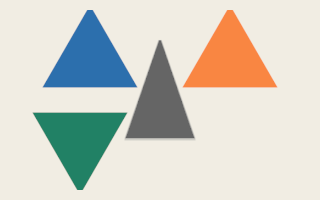
Every mask operation mirrors its image counterpart and writes a distinct destination mask; an optional selection mask and region limit which coverage changes. crop, flip, offset and nearest move bytes exactly.
cmd.polygon(matte, {.sides = 3, .color = {1, 1, 1, 1}, .background = {0, 0, 0, 0}, .rotation = 0, .softness = 1});
cmd.extract_mask(matte, shape, {.mode = MaskMode::alpha});
cmd.zoom(shape, zoomed, {.factor = 1.1f, .center = {160, 100}});
cmd.copy(zoomed, shape);
cmd.resize(shape, small, {.filter = ResizeFilter::area});           // 160x100 triangle.
cmd.crop(small, placed, {.origin = {-10, -10}});                     // Placed at (10, 10).
cmd.flip(placed, mirrored, {.direction = FlipDirection::horizontal});
cmd.rotate(placed, turned, {.degrees = 180});                        // About the center.
cmd.offset(turned, lowered, {.offset = {-150, 0}, .edge = EdgeMode::transparent});
const std::array corners{Point{120, 40}, Point{200, 40}, Point{230, 190}, Point{90, 190}};
cmd.perspective(small, tilted, {.corners = corners});
cmd.fill(image, {.color = {0.88f, 0.85f, 0.77f, 1}});
cmd.fill(image, {.color = {0.025f, 0.16f, 0.42f, 1}, .mask = &placed});
cmd.fill(image, {.color = {0.95f, 0.24f, 0.055f, 1}, .mask = &mirrored});
cmd.fill(image, {.color = {0.015f, 0.22f, 0.13f, 1}, .mask = &lowered});
cmd.fill(image, {.color = {0, 0, 0, 0.6f}, .mask = &tilted});
# Select
Build and refine selections, which are masks.
# Edit mask coverage locally
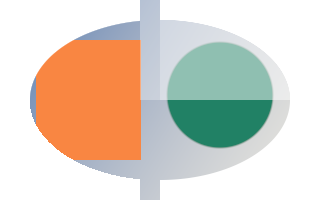
Mask copy, fill, invert, levels, threshold and combine accept a write mask and a clipped region. The selection blends old and computed coverage; untouched bytes keep their original values.
cmd.select_ellipse(selection, {.origin = {30, 20}, .width = 260, .height = 160});
cmd.fill(control, {.coverage = 0.5f});
cmd.copy(selection, edited, {.region = Rect{0, 0, 200, 200}});
cmd.invert(edited, {.mask = &control, .region = Rect{140, 0, 180, 200}});
cmd.levels(edited, {.transfer = {.gamma = 1.8f}, .region = Rect{0, 0, 160, 200}});
cmd.threshold(edited, {.value = 0.4f, .region = Rect{0, 100, 320, 100}});
cmd.combine(selection, edited, {.mode = SelectionMode::intersect, .region = Rect{160, 0, 160, 200}});
cmd.apply_mask(edited, image);
# Transfer a mask patch
A8 transfers use tightly packed coverage bytes. Explicit buffer capacity and TransferOptions let undo patches and tiles transfer just their rectangle, including unaligned byte offsets.
auto selection = ctx.create_mask(image.size());
auto patch_upload = ctx.create_upload_buffer(selection, {.capacity_pixels = 95 * 80});
auto saved = ctx.create_readback_buffer(selection, {.capacity_pixels = 95 * 80});
std::array<std::uint8_t, 95 * 80> coverage{};
coverage.fill(255);
ctx.write(patch_upload, coverage);

cmd.fill(selection, {.coverage = 0.2f});
cmd.upload(patch_upload, selection, {.region = Rect{73, 45, 95, 80}});
cmd.download(selection, saved, {.region = Rect{73, 45, 95, 80}});
cmd.apply_mask(selection, image);
# Rectangular marquee
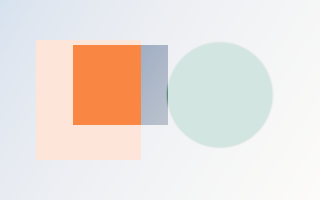
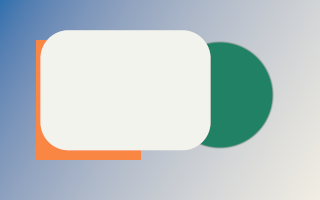
Selections are A8 masks. Coordinates are continuous pixels: edges get exact area coverage, and corner_radius rounds the corners. Fill through the mask to see it; the selection limits any masked operation.
// Selections are A8 masks owned by the context; destroy them like images.
auto selection = ctx.create_mask(image.size());

cmd.select_rectangle(selection, {.origin = {40.5f, 30.25f}, .width = 170, .height = 120, .corner_radius = 28});
cmd.fill(image, {.color = {0.9f, 0.9f, 0.85f, 1}, .mask = &selection});
# Elliptical marquee and modes
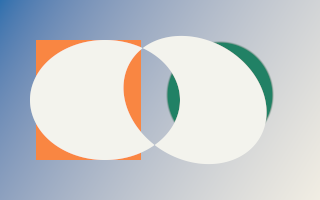
Modes match Photoshop: replace, add, subtract, intersect and difference, applied exactly to coverage bytes. transform rotates or skews any marquee (Transform Selection).
// Selections are A8 masks owned by the context; destroy them like images.
auto selection = ctx.create_mask(image.size());

cmd.select_ellipse(selection, {.origin = {30, 40}, .width = 150, .height = 120});
cmd.select_ellipse(selection, {.origin = {120, 40}, .width = 150, .height = 120,
                               .transform = Affine::rotate(30, {195, 100}), .mode = SelectionMode::difference});
cmd.fill(image, {.color = {0.9f, 0.9f, 0.85f, 1}, .mask = &selection});
# Lasso and feather
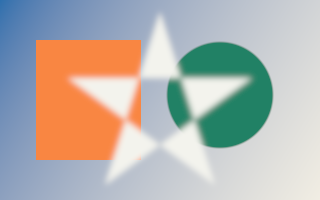
Points are closed contours (Lasso, Polygonal Lasso). Fill rules: nonzero or even_odd, which leaves this star’s center unselected. feather blurs the new shape in pixels, using a workspace sized by feather_requirements.
// Selections are A8 masks owned by the context; destroy them like images.
auto selection = ctx.create_mask(image.size());
auto workspace = ctx.create_workspace(feather_requirements(image.size(), {.radius = 3}).workspace);

const std::array star{Point{160, 12}, Point{215, 185}, Point{68, 78}, Point{252, 78}, Point{105, 185}};
cmd.select_polygon(selection, {.points = star, .rule = FillRule::even_odd, .feather = 3, .workspace = workspace});
cmd.fill(image, {.color = {0.9f, 0.9f, 0.85f, 1}, .mask = &selection});
# Combine selections
Merge a saved selection or channel into another mask with a selection mode, like Load Selection.
// Selections are A8 masks owned by the context; destroy them like images.
auto selection = ctx.create_mask(image.size());
auto saved = ctx.create_mask(image.size());

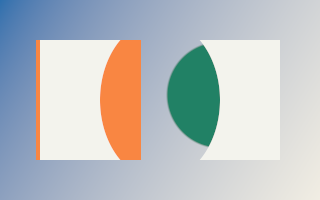
cmd.select_rectangle(selection, {.origin = {40, 40}, .width = 240, .height = 120});
cmd.select_ellipse(saved, {.origin = {100, 20}, .width = 120, .height = 160});
cmd.combine(saved, selection, {.mode = SelectionMode::subtract});
cmd.fill(image, {.color = {0.9f, 0.9f, 0.85f, 1}, .mask = &selection});
# Feather
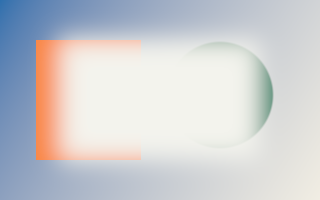
Select > Modify > Feather: a Gaussian blur of the selection; radius is the standard deviation in pixels. canvas_bounds treats the outside of the canvas as unselected.
// Selections are A8 masks owned by the context; destroy them like images.
auto selection = ctx.create_mask(image.size());
auto workspace = ctx.create_workspace(feather_requirements(image.size(), {.radius = 12}).workspace);

cmd.select_rectangle(selection, {.origin = {60, 40}, .width = 200, .height = 120});
cmd.feather(selection, {.radius = 12, .workspace = workspace});
cmd.fill(image, {.color = {0.9f, 0.9f, 0.85f, 1}, .mask = &selection});
# Expand and contract
Select > Modify > Expand and Contract use exact Euclidean distances, so corners round and edges stay anti-aliased. Expand never removes and contract never adds coverage.
// Selections are A8 masks owned by the context; destroy them like images.
auto selection = ctx.create_mask(image.size());
auto workspace = ctx.create_workspace(expand_requirements(image.size(), {.radius = 24}).workspace);

const std::array stroke{Point{40, 150}, Point{120, 40}, Point{190, 150}, Point{280, 50}};
cmd.select_polygon(selection, {.points = stroke});
cmd.expand(selection, {.radius = 14, .workspace = workspace});
cmd.fill(image, {.color = {0.9f, 0.9f, 0.85f, 1}, .mask = &selection});
cmd.contract(selection, {.radius = 24, .workspace = workspace});
cmd.fill(image, {.color = {0.6f, 0.05f, 0.05f, 1}, .mask = &selection});

# Border
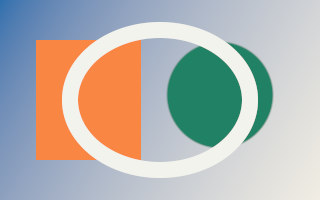
Select > Modify > Border: an anti-aliased band of the given total width centered on the selection edge.
// Selections are A8 masks owned by the context; destroy them like images.
auto selection = ctx.create_mask(image.size());
auto workspace = ctx.create_workspace(border_requirements(image.size(), {.width = 16}).workspace);

cmd.select_ellipse(selection, {.origin = {70, 30}, .width = 180, .height = 140});
cmd.border(selection, {.width = 16, .workspace = workspace});
cmd.fill(image, {.color = {0.9f, 0.9f, 0.85f, 1}, .mask = &selection});
# Smooth
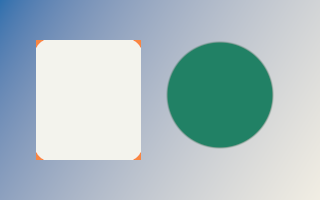
Select > Modify > Smooth: majority vote over a square of the given radius removes specks and rounds jagged steps.
// Selections are A8 masks owned by the context; destroy them like images.
auto selection = ctx.create_mask(image.size());
auto workspace = ctx.create_workspace(smooth_requirements(image.size(), {.radius = 8}).workspace);

cmd.select_color_range(image, selection, {.color = {0.95f, 0.24f, 0.055f, 1}, .fuzziness = 60.0f / (255.0f * 1.7320508f)});
cmd.smooth(selection, {.radius = 8, .workspace = workspace});
cmd.fill(image, {.color = {0.9f, 0.9f, 0.85f, 1}, .mask = &selection});
# Threshold and levels
Remap selection coverage like Levels in Quick Mask; threshold makes a hard selection. Values are coverage in [0, 1].
// Selections are A8 masks owned by the context; destroy them like images.
auto selection = ctx.create_mask(image.size());
auto workspace = ctx.create_workspace(feather_requirements(image.size(), {.radius = 30}).workspace);

cmd.select_ellipse(selection, {.origin = {40, 20}, .width = 240, .height = 160});
cmd.feather(selection, {.radius = 30, .workspace = workspace});
cmd.levels(selection, {.transfer = {.input_black = 0.3f, .input_white = 0.9f, .gamma = 1.5f}});
cmd.fill(image, {.color = {0.9f, 0.9f, 0.85f, 1}, .mask = &selection});
cmd.threshold(selection, {.value = 0.95f});
cmd.fill(image, {.color = {0.6f, 0.05f, 0.05f, 1}, .mask = &selection});
# Color range
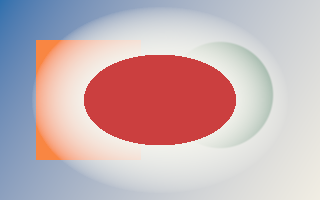
Select > Color Range: coverage falls linearly with straight sRGB distance normalized by the RGB cube diagonal from the color, reaching zero at fuzziness, and scales with pixel alpha. The color is linear premultiplied like pixels.
// Selections are A8 masks owned by the context; destroy them like images.
auto selection = ctx.create_mask(image.size());

cmd.select_color_range(image, selection, {.color = {0.95f, 0.24f, 0.055f, 1}, .fuzziness = 80.0f / (255.0f * 1.7320508f)});
cmd.invert(selection);
cmd.grayscale(image, {.mask = &selection});
# Magic wand
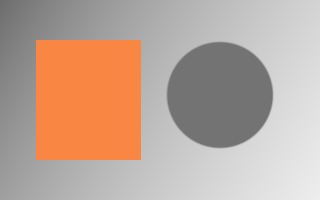
Contiguous selection by normalized per-channel tolerance in [0,1] on rounded sRGB and alpha, exact in one submission (union-find, no readback). Turn contiguous off to select every matching pixel; sample_radius averages the reference; anti_alias softens edges.
// Selections are A8 masks owned by the context; destroy them like images.
auto selection = ctx.create_mask(image.size());
auto workspace = ctx.create_workspace(select_magic_wand_requirements(image.size(), {}).workspace);

cmd.select_magic_wand(image, selection, {.seed = {80, 100}, .tolerance = 40.0f / 255.0f, .sample_radius = 1, .workspace = workspace});
cmd.fill(image, {.color = {0.9f, 0.9f, 0.85f, 1}, .mask = &selection});
# Compose
Blend layers: modes, layer masks, alpha lock, Blend If and clipping groups.
# Blend a layer
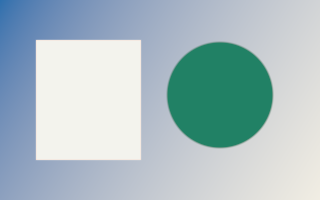
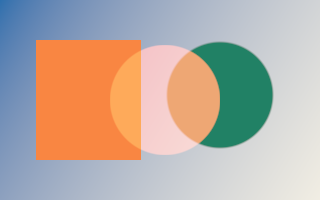
Position uses destination pixels. All 28 modes are available; see Photoshop blend modes below. Opacity multiplies source coverage.
cmd.circle(layer, {.color = {0.95f, 0.24f, 0.055f, 1}, .background = {0, 0, 0, 0}, .softness = 2});
cmd.blend(layer, image, {.position = {110, 45}, .opacity = 0.9f, .mode = BlendMode::screen});
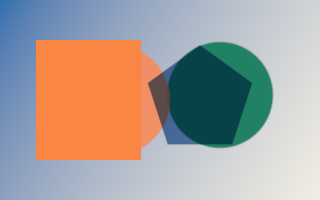
# Blend several layers
Layers are applied in array order. Batch consecutive pixel layers; keep adjustments and nested-document composition in your application.
cmd.circle(first, {.color = {0.95f, 0.24f, 0.055f, 1}, .background = {0, 0, 0, 0}, .softness = 2});
cmd.polygon(second, {.sides = 5, .color = {0.025f, 0.16f, 0.42f, 1}, .background = {0, 0, 0, 0}, .rotation = 0, .softness = 2});
const std::array sources{first, second};
const std::array positions{Position{60, 45}, Position{145, 45}};
const std::array opacities{0.85f, 0.9f};
const std::array modes{BlendMode::normal, BlendMode::multiply};
cmd.blend_many(sources, image, {.positions = positions, .opacities = opacities, .modes = modes});
# Apply a layer mask
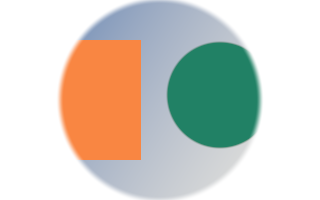
Multiply premultiplied destination RGBA by A8 coverage. Position places the mask in destination coordinates; pixels outside it stay unchanged.
cmd.circle(matte, {.color = {1, 1, 1, 1}, .background = {0, 0, 0, 0}, .softness = 8});
cmd.extract_mask(matte, coverage, {.mode = MaskMode::alpha});
cmd.apply_mask(coverage, image);
# Photoshop blend modes
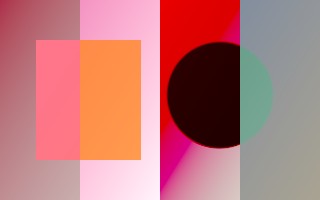
All 28 modes blend straight linear colors with source-over alpha. Here: hue, color dodge, vivid light and luminosity. Linear dodge saturates at the greater of one and the backdrop; add is unrestricted. Non-separable modes use W3C Lum/Sat/ClipColor.
{
const std::array ramp{GradientStop{0, {0.8f, 0.02f, 0.1f, 1}}, GradientStop{1, {0.02f, 0.7f, 0.6f, 1}}};
cmd.gradient_fill(layer, {.start = {0, 0}, .end = {320, 200}, .stops = ramp,
    .interpolation = GradientInterpolation::linear, .dither = false, .replace = true});
}
const std::array sources{layer, layer, layer, layer};
const std::array positions{Position{0, 0}, Position{80, 0}, Position{160, 0}, Position{240, 0}};
const std::array modes{BlendMode::hue, BlendMode::color_dodge, BlendMode::vivid_light, BlendMode::luminosity};
cmd.blend_many(sources, image, {.positions = positions, .modes = modes});
# A mask that moves with the layer
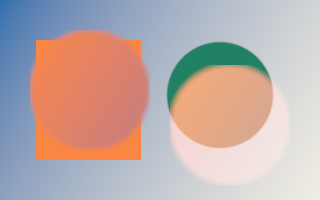
source_mask uses source coordinates and must match the layer size. The existing mask and region use destination coordinates. This circular source mask moves with each differently positioned layer.
auto layerMask = ctx.create_mask({120, 120});
auto shape = ctx.create_image({120, 120});
auto layer = ctx.create_image({120, 120});

cmd.circle(shape, {.color = {1, 1, 1, 1}, .background = {0, 0, 0, 0}, .softness = 10});
cmd.extract_mask(shape, layerMask, {.mode = MaskMode::alpha});
{
const std::array ramp{GradientStop{0, {0.95f, 0.24f, 0.055f, 1}}, GradientStop{1, {0.025f, 0.16f, 0.42f, 1}}};
cmd.gradient_fill(layer, {.start = {0, 0}, .end = {320, 200}, .stops = ramp,
    .interpolation = GradientInterpolation::linear, .dither = false, .replace = true});
}
cmd.blend(layer, image, {.position = {30, 30}, .source_mask = &layerMask});
cmd.blend(layer, image, {.position = {170, 65}, .mode = BlendMode::screen, .source_mask = &layerMask});
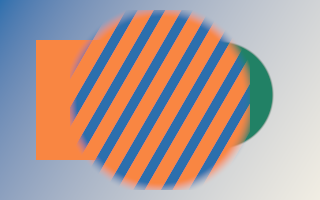
# Clipping group and alpha lock
Copy the base into an isolated group, then use preserve_alpha on each clipped layer. The base alpha stays fixed, even at soft edges. Composite the completed group onto the document. Keep the isolated base separate from the document backdrop.
cmd.circle(base, {.color = {0.95f, 0.24f, 0.055f, 1}, .background = {0, 0, 0, 0}, .softness = 15});
cmd.copy(base, group);
cmd.stripes(layer, {.angle = 30, .spacing = 24, .width = 10, .first = {0.025f, 0.16f, 0.42f, 1}, .second = {0, 0, 0, 0}});
const std::array sources{layer};
const std::array positions{Position{}};
const std::array layers{BlendLayerOptions{.preserve_alpha = true}};
cmd.blend_many(sources, group, {.positions = positions, .layers = layers});
cmd.blend(group, image, {.position = {70, 10}});
# Blend If with split sliders
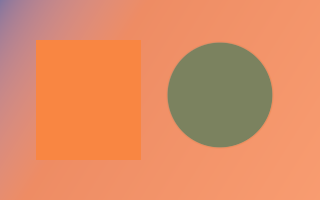
With srgb encoding, 0.30/0.65 fades away this layer over dark underlying pixels. Divide sRGB-document 0–255 UI values by 255. The default encoding is linear. Source and destination ranges multiply source coverage before compositing.
cmd.fill(layer, {.color = {0.95f, 0.24f, 0.055f, 1}});
cmd.blend(layer, image, {.opacity = 0.85f, .blend_if = BlendIfOptions{
    .destination = {.black = 0.30f, .black_split = 0.65f}, .encoding = ColorEncoding::srgb}});
# Seeded dissolve
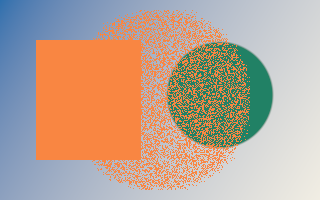
Dissolve makes binary source-alpha decisions. Omitted seeds use source identity and dissolve order within a Commands recording, keeping the same stack stable on rerender. Set explicit per-layer seeds to preserve patterns across resource recreation or reordering. Its pattern uses source coordinates and moves with the layer. Destination coverage masks still soften the final write.
cmd.circle(layer, {.color = {0.95f, 0.24f, 0.055f, 1}, .background = {0, 0, 0, 0}, .softness = 12});
cmd.blend(layer, image, {.position = {70, 10}, .opacity = 0.45f, .mode = BlendMode::dissolve, .seed = 42});
# Paint
The brush engine and the tools built on it.
# Limit an edit to a rectangle
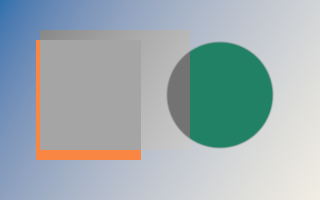
Regions use destination coordinates. An optional A8 coverage mask can further restrict the effect; initialize out-of-place destinations before masked operations.
Rect area{40, 30, 150, 120};
cmd.grayscale(image, {.region = area});
# Brush tool
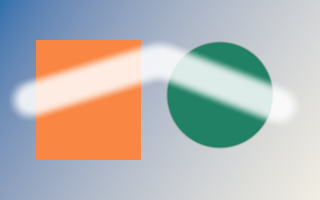
Samples are pointer events: image position, pressure, tilt and rotation. The engine places dabs every spacing × diameter along the path; minimum_size, minimum_opacity and minimum_flow map pressure like Photoshop’s Pen Pressure controls. Opacity caps the whole stroke, flow sets how fast overlapping dabs build up. brush_dabs and stroke_bounds return the dabs and the dirty rectangle for history. Set brush.tip to a Mask for sampled tips.
const std::array samples{StrokeSample{{40, 160}, 0.15f}, StrokeSample{{110, 60}, 0.8f},
                         StrokeSample{{190, 150}, 1.0f}, StrokeSample{{285, 45}, 0.3f}};
const Brush brush{.diameter = 34, .hardness = 0.7f, .spacing = 0.08f, .minimum_size = 0.15f};
cmd.brush_stroke(image, {.samples = samples, .brush = brush, .color = {0.9f, 0.86f, 0.78f, 1},
                         .opacity = 0.9f, .flow = 0.6f});

# Eraser tool
Scales color and alpha toward transparency with the same brush engine, opacity cap and flow. Save as PNG to see the transparent result.
const std::array samples{StrokeSample{{30, 100}}, StrokeSample{{160, 60}}, StrokeSample{{290, 110}}};
cmd.eraser_stroke(image, {.samples = samples, .brush = {.diameter = 46, .hardness = 0.3f}, .opacity = 0.85f});
# Clone stamp
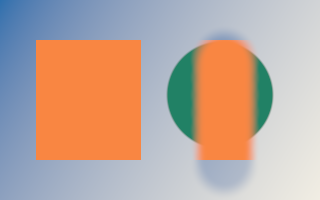
Paints source pixels found at destination − offset; the offset is the destination minus the Alt-clicked source point. Keep one offset for Aligned, recompute it per stroke otherwise. Clone within one layer from a copy.
cmd.copy(image, source);
const std::array samples{StrokeSample{{225, 60}}, StrokeSample{{225, 170}}};
cmd.clone_stroke(source, image, {.samples = samples, .brush = {.diameter = 70, .hardness = 0.5f},
                                 .offset = {140, 0}});
# Pattern stamp
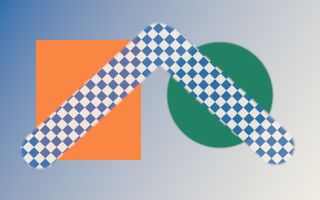
Paints a tiled pattern through an Affine that maps pattern to image coordinates. Aligned keeps one transform; non-aligned translates it to each stroke’s start.
cmd.checkerboard(tile, {.size = 8, .first = {0.025f, 0.16f, 0.42f, 1}, .second = {0.88f, 0.85f, 0.77f, 1}});
const std::array samples{StrokeSample{{40, 150}}, StrokeSample{{160, 40}}, StrokeSample{{280, 150}}};
cmd.pattern_stroke(tile, image, {.samples = samples, .brush = {.diameter = 40, .hardness = 0.8f},
                                 .transform = Affine::rotate(45), .opacity = 0.9f});
# Dodge and burn
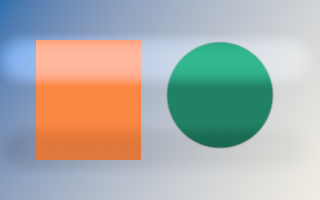
Photoshop Range (shadows, midtones, highlights) and Exposure. Exposure caps the stroke like an opacity. Protect Tones moves luminance and keeps hue.
const std::array top{StrokeSample{{20, 60}}, StrokeSample{{300, 60}}};
const std::array bottom{StrokeSample{{20, 150}}, StrokeSample{{300, 150}}};
const Brush brush{.diameter = 60, .hardness = 0};
cmd.dodge_burn_stroke(image, {.samples = top, .brush = brush, .range = ToneRange::midtones, .exposure = 0.8f});
cmd.dodge_burn_stroke(image, {.samples = bottom, .brush = brush, .burn = true, .range = ToneRange::midtones, .exposure = 0.8f});
# Sponge
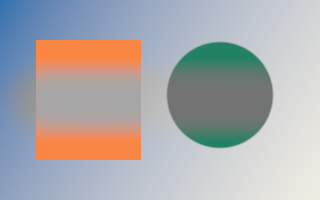
Desaturates toward linear luminance or saturates away from it. Flow builds the effect up; vibrance protects already saturated colors.
const std::array samples{StrokeSample{{40, 100}}, StrokeSample{{280, 100}}};
cmd.sponge_stroke(image, {.samples = samples, .brush = {.diameter = 90, .hardness = 0.2f}, .flow = 0.9f});
# Blur and sharpen tools
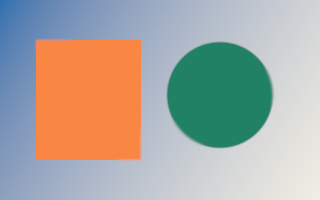
Mixes toward a 5×5 blur, or away from it for sharpen, by the stroke coverage; strength caps it. The operation copies the stroke area into a workspace plane reserved before recording.
auto workspace = ctx.create_workspace(focus_stroke_requirements(image.size()).workspace);

const std::array samples{StrokeSample{{50, 40}}, StrokeSample{{140, 160}}, StrokeSample{{280, 80}}};
cmd.focus_stroke(image, {.samples = samples, .brush = {.diameter = 44, .hardness = 0.4f}, .strength = 1, .workspace = workspace});
# Smudge
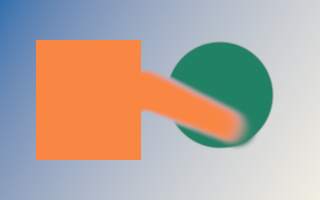
Dabs run in order: the first picks up the pixels under it and every later dab mixes what it carries with the image before depositing it. Strength 1 drags the first colors along the whole stroke. smudge_stroke_requirements reports the workspace capacity for the carried patch.
const Brush brush{.diameter = 44, .hardness = 0.5f, .spacing = 0.05f};
auto workspace = ctx.create_workspace(smudge_stroke_requirements(image.size(), {.brush = brush}).workspace);

const std::array samples{StrokeSample{{80, 100}}, StrokeSample{{150, 90}}, StrokeSample{{240, 130}}};
cmd.smudge_stroke(image, {.samples = samples, .brush = brush, .strength = 0.85f, .workspace = workspace});
# Gradient tool
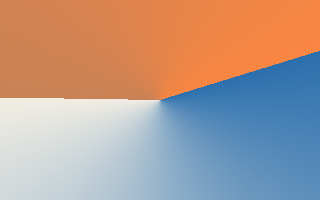
Drag from start to end. Shapes: linear, radial, angle, reflected and diamond; stops are premultiplied linear colors at nondecreasing positions. Perceptual interpolation mixes sRGB-encoded colors like Photoshop; dither prevents banding in 8-bit output. extend clamps, repeats, mirrors or leaves pixels unchanged.
const std::array stops{GradientStop{0, {0.025f, 0.16f, 0.42f, 1}}, GradientStop{0.55f, {0.88f, 0.85f, 0.77f, 1}},
                       GradientStop{0.55f, {0.4f, 0.1f, 0.02f, 0.8f}}, GradientStop{1, {0.95f, 0.24f, 0.055f, 1}}};
cmd.gradient_fill(image, {.start = {160, 100}, .end = {290, 60}, .stops = stops,
                          .shape = GradientShape::angle, .dither = true});
# Pattern fill
Tiles a pattern image over the destination through an Affine (pattern to image), with bilinear filtering, a blend mode and opacity.
cmd.stripes(tile, {.angle = 0, .spacing = 12, .width = 5, .first = {0.95f, 0.24f, 0.055f, 1}, .second = {0, 0, 0, 0}});
cmd.pattern_fill(tile, image, {.transform = Affine::rotate(30) * Affine::scale(1.5f), .mode = BlendMode::multiply, .opacity = 0.8f});
# Paint bucket
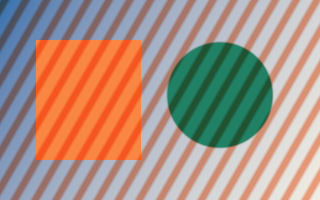
Fills every pixel within tolerance of the seed pixel’s original color; 32/255 matches Photoshop’s default. This is non-contiguous; for Contiguous pass a flood-fill selection mask and set match_seed to false.
cmd.paint_bucket(image, {.seed = {80, 100}, .tolerance = 0.2f, .softness = 0.05f, .color = {0.025f, 0.16f, 0.42f, 1}});
# Paint a layer mask
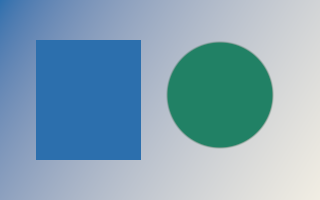
Brush coverage paints toward a mask value; the eraser paints toward zero. Opacity, flow, tips, selection and region work on A8 masks. The result below reveals the painted mask as a color.
auto selection = ctx.create_mask(image.size());

cmd.fill(selection, {.coverage = 0});
const std::array stroke{StrokeSample{{40, 150}}, StrokeSample{{160, 40}}, StrokeSample{{280, 150}}};
cmd.brush_stroke(selection, {.samples = stroke, .brush = {.diameter = 45, .hardness = 0.6f}, .coverage = 1});
const std::array cut{StrokeSample{{160, 30}}, StrokeSample{{160, 170}}};
cmd.eraser_stroke(selection, {.samples = cut, .brush = {.diameter = 25}, .opacity = 0.8f});
cmd.fill(image, {.color = {0.95f, 0.24f, 0.055f, 1}, .mask = &selection});
# Continue a stroke
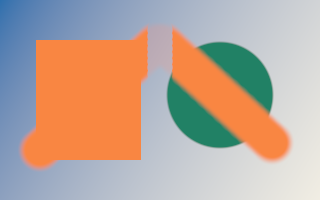
Reserve the snapshot explicitly, then pass only new samples to the same move-only state. reset() starts another stroke without reallocating the snapshot. It retains the original pixels and accumulated events, replaying them exactly so spacing, random dabs and opacity agree with one call. Keep options and selection fixed. Replay costs grow with the whole stroke.
auto state = ctx.create_brush_stroke_state(image);

const Brush brush{.diameter = 35, .hardness = 0.6f, .spacing = 0.08f, .size_jitter = 0.3f, .seed = 17};
const std::array first{StrokeSample{{30, 140}}, StrokeSample{{130, 60}}};
const std::array next{StrokeSample{{215, 150}}, StrokeSample{{290, 50}}};
cmd.brush_stroke(image, state, {.samples = first, .brush = brush, .color = {0.95f, 0.24f, 0.055f, 1}, .opacity = 0.7f});
cmd.brush_stroke(image, state, {.samples = next, .brush = brush, .color = {0.95f, 0.24f, 0.055f, 1}, .opacity = 0.7f});
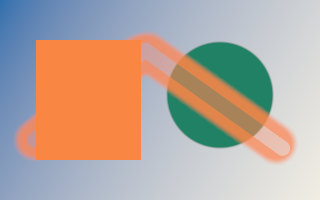
# Continue mask strokes
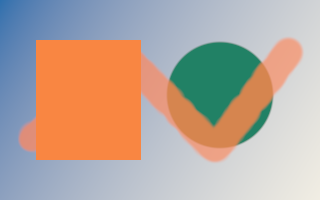
Each state represents one stroke. Mask continuation replays before A8 rounding, so segment boundaries cannot accumulate rounding errors.
auto selection = ctx.create_mask(image.size());
auto paint = ctx.create_brush_stroke_state(selection);
auto erase = ctx.create_brush_stroke_state(selection);

cmd.fill(selection, {.coverage = 0});
const std::array first{StrokeSample{{35, 140}}, StrokeSample{{145, 50}}};
const std::array next{StrokeSample{{285, 150}}};
const Brush brush{.diameter = 45, .hardness = 0.6f};
cmd.brush_stroke(selection, paint, {.samples = first, .brush = brush, .coverage = 1, .opacity = 0.8f});
cmd.brush_stroke(selection, paint, {.samples = next, .brush = brush, .coverage = 1, .opacity = 0.8f});
cmd.eraser_stroke(selection, erase, {.samples = first, .brush = {.diameter = 15}, .opacity = 0.5f});
cmd.eraser_stroke(selection, erase, {.samples = next, .brush = {.diameter = 15}, .opacity = 0.5f});
cmd.fill(image, {.color = {0.95f, 0.24f, 0.055f, 1}, .mask = &selection});
# Continue erasing
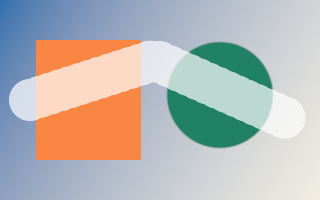
Keep an eraser stroke’s opacity cap across calls with a BrushStrokeState.
auto state = ctx.create_brush_stroke_state(image);

const std::array first{StrokeSample{{30, 100}}, StrokeSample{{155, 60}}};
const std::array next{StrokeSample{{290, 120}}};
cmd.eraser_stroke(image, state, {.samples = first, .brush = {.diameter = 42}, .opacity = 0.7f});
cmd.eraser_stroke(image, state, {.samples = next, .brush = {.diameter = 42}, .opacity = 0.7f});
# Continue smudging
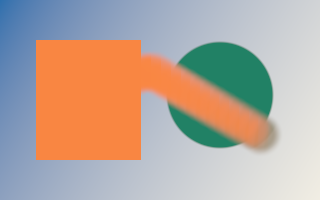
SmudgeStrokeState preserves the complete stroke result, including pigment transport. Reserve the state snapshot and the transient workspace before recording. Reset keeps the snapshot capacity for the next stroke.
const Brush brush{.diameter = 45, .hardness = 0.5f};
auto state = ctx.create_smudge_stroke_state(image);
auto workspace = ctx.create_workspace(smudge_stroke_requirements(image.size(), {.brush = brush}).workspace);

const std::array first{StrokeSample{{70, 100}}, StrokeSample{{150, 70}}};
const std::array next{StrokeSample{{270, 140}}};
cmd.smudge_stroke(image, state, {.samples = first, .brush = brush, .strength = 0.9f, .workspace = workspace});
cmd.smudge_stroke(image, state, {.samples = next, .brush = brush, .strength = 0.9f, .workspace = workspace});
# Lock transparent pixels
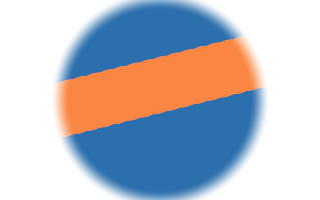
preserve_alpha changes color while retaining destination alpha. Transparent pixels stay transparent. Brush, clone, pattern, gradient, bucket, focus and smudge tools support it.
cmd.circle(image, {.color = {0.025f, 0.16f, 0.42f, 1}, .background = {0, 0, 0, 0}, .softness = 20});
const std::array stroke{StrokeSample{{20, 120}}, StrokeSample{{300, 50}}};
cmd.brush_stroke(image, {.samples = stroke, .brush = {.diameter = 55}, .color = {0.95f, 0.24f, 0.055f, 1}, .preserve_alpha = true});
# Fill a contiguous selection
Set match_seed to false to fill exactly through a wand selection, including its antialiased edge. Seed, tolerance and softness are then ignored.
auto selection = ctx.create_mask(image.size());
auto workspace = ctx.create_workspace(select_magic_wand_requirements(image.size(), {}).workspace);

cmd.select_magic_wand(image, selection, {.seed = {80, 100}, .tolerance = 40.0f / 255.0f, .workspace = workspace});
cmd.paint_bucket(image, {.color = {0.95f, 0.24f, 0.055f, 1}, .match_seed = false, .mask = &selection});
# Analyze
Histograms, statistics and eyedropper sampling.
# Histogram
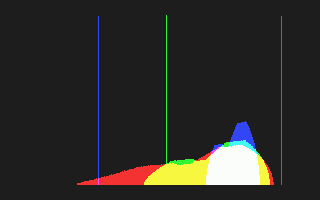
Count red, green, blue, alpha and luminosity levels on the GPU. The default sRGB space shows the levels Photoshop’s Histogram panel shows; 256 bins hold exactly the 8-bit levels of an RGBA8 download, and up to 4096 bins suit 16-bit views. A mask counts pixels at least half selected; a region limits the area. Read the counts after the batch completes.
auto histogram = ctx.create_histogram_buffer(); // 256 bins: one per 8-bit level.
cmd.histogram(image, histogram, {.space = ColorEncoding::srgb});
// After the batch: rows of 256 counts for red, green, blue, alpha, luminosity.
std::vector<std::uint32_t> counts(histogram.bins() * analysis_channel_count);
ctx.read(histogram, counts);
# Statistics and eyedropper
Minimum, maximum, mean and standard deviation per channel, reduced in double precision. The default sRGB space matches Photoshop’s Info panel levels; linear keeps HDR values. sample_region gives the eyedropper’s Sample Size square (1, 3, 5 … 101); ImageStatistics::average is the sampled linear premultiplied color, ready to use as a fill color. The swatches show the image average and a 5 by 5 sample.
auto statistics = ctx.create_statistics_buffer();
auto sample = ctx.create_statistics_buffer();
cmd.statistics(image, statistics); // Whole image; a mask or region narrows it.
// Eyedropper, "5 by 5 Average" under the cursor:
cmd.statistics(image, sample, {.region = sample_region({60.5f, 90.5f}, 5)});
// After the batch:
const auto whole = ctx.read(statistics); // whole.luminosity.mean, whole.red.minimum, ...
const auto picked = ctx.read(sample).average;